You Only Focus On Coding
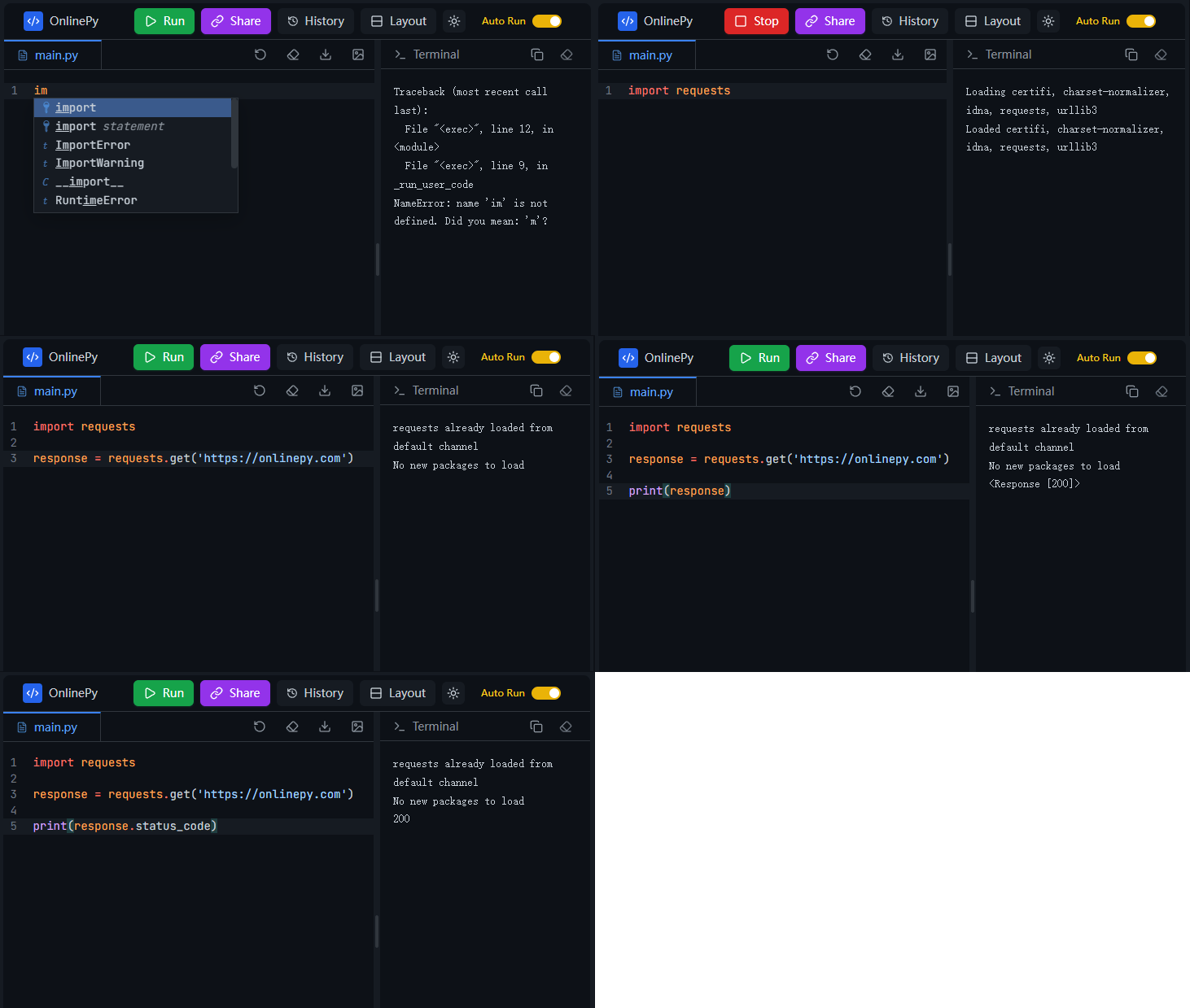
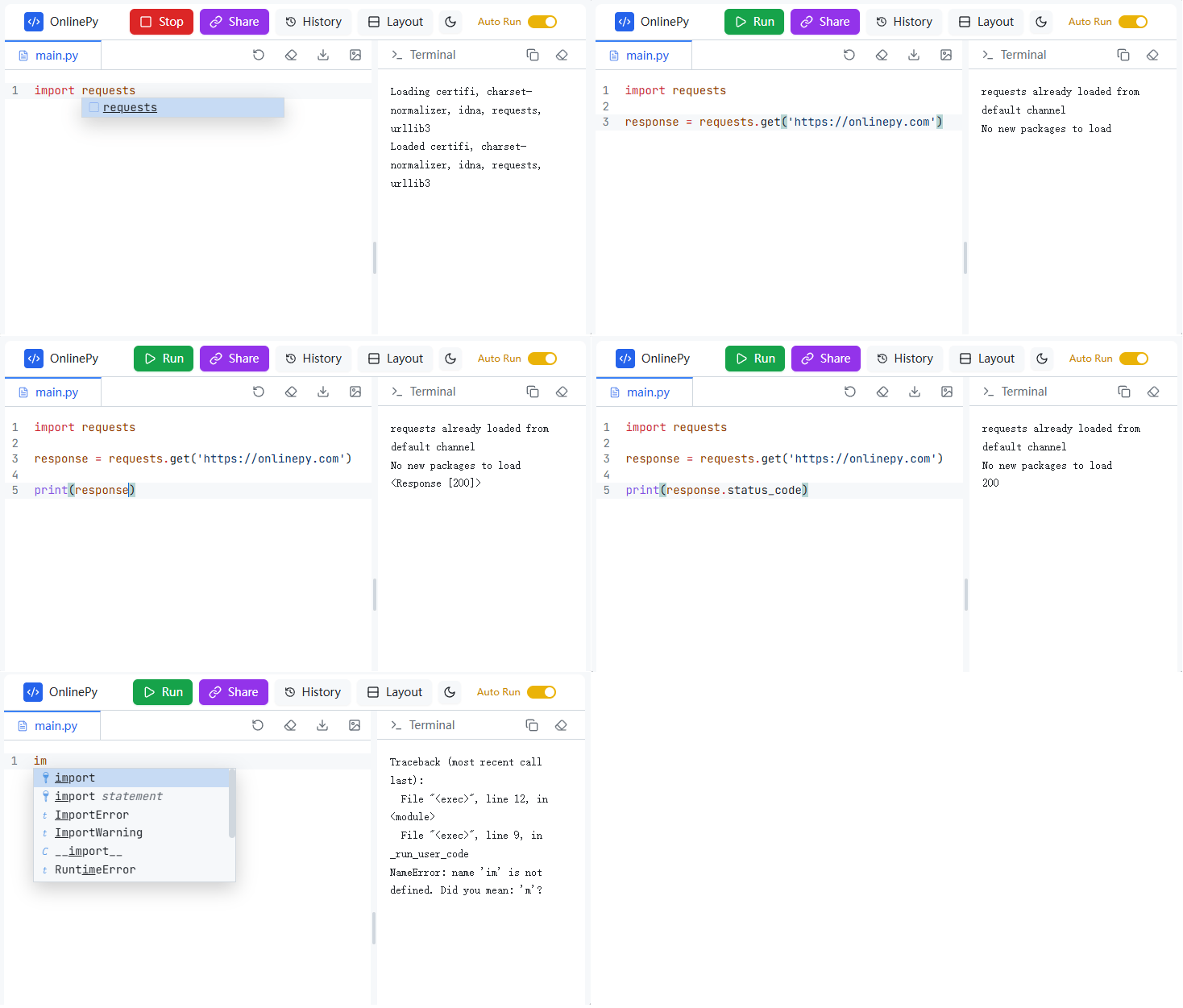
With no environment setup required, OnlinePy automatically executes your code and intelligently installs the necessary dependencies, allowing you to truly immerse yourself in a seamless programming experience.
Code Run History
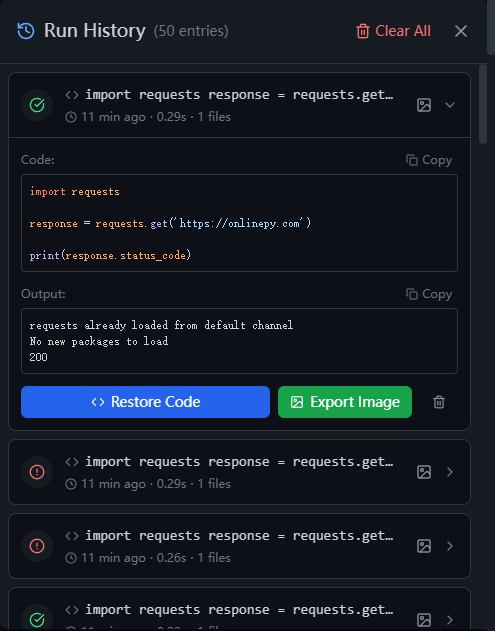
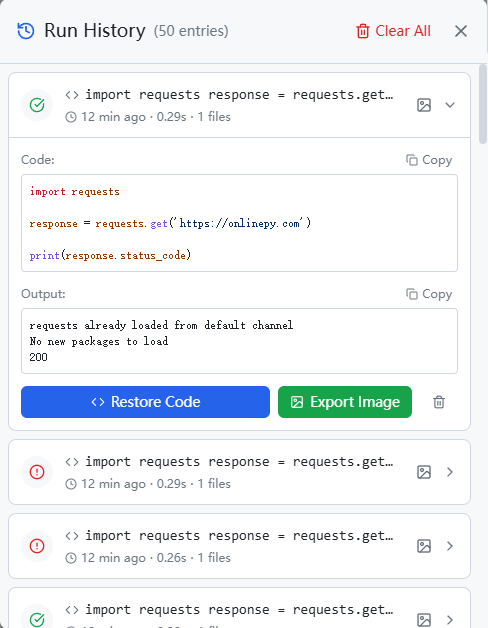
Automatic logging with every run and one-click rollback at any point in time turn every debugging session into a reusable learning experience.
Embed OnlinePy in Your Website
Add a fully functional Python IDE to your blog, docs, or course page with just two lines of code. No backend required — Python runs entirely in the browser.
1Floating widget (Recommended)
One script tag drops a bubble into the corner of your page — click it to pop open the IDE. Drag the bubble anywhere, drag the panel by its title bar, resize it from any edge, and pick the features it should expose.
Live demo: this very site uses it — look at the bubble in the bottom-right corner.
<script
  src="https://onlinepy.com/embed.js"
  data-widget
  data-position="bottom-right"
  data-size="420x620"
  data-features="run,output,theme"
></script>
2JS SDK
Add the script once, then use the custom element anywhere.
<script src="https://onlinepy.com/embed.js"></script>

<onlinepy-ide
  features="run,output,theme"
  code="print('Hello!')"
  style="width:100%;height:400px">
</onlinepy-ide>3iframe
Simple and framework-agnostic. Just paste and go.
⚠️ Interactive input() and Stop need SharedArrayBuffer, which only exists on cross-origin isolated pages. Code still runs without it — the IDE degrades automatically instead of throwing. See Sharing & SharedArrayBuffer.
<iframe
  src="https://onlinepy.com/embed/?raw=print('Hello!')&hide=fileTree&hide=share&hide=embed"
  style="width:100%;height:400px;border:0;border-radius:8px"
  allow="cross-origin-isolated">
</iframe>

<!-- one ?hide=<key> per feature to drop; the IDE's
     Embed dialog generates the full list -->
Avoid the chat bubble / cookie bar
Every offset is configurable, in pixels or any CSS length. CSS variables win over the attributes, so the position can change with a media query or while a banner is open.
data-position="bottom-right | bottom-left | top-right | top-left"
data-offset="24"          data-offset-x="24"  data-offset-y="24"
data-offset-bottom="96"   data-panel-offset="96"   data-reserve="96"
data-gap="12"  data-z-index="2147481000"  data-safe-area="env"
/* host page, wins over the attributes */
:root { --onlinepy-offset-bottom: 96px }
Or from JS: OnlinePyWidget.setOffset({ bottom: 96 }) / setPosition("top-left")
Show only the features you need
Hide the file tree, share, embed, GitHub, history, sync, theme and every editor action — including undo, redo and reset — so an embedded IDE contains nothing you did not ask for.
<script src="https://onlinepy.com/embed.js"
  data-widget
  data-features="run,undo,redo,reset"></script>

<onlinepy-ide features="runOnly" code="print(1)"></onlinepy-ide>
Keys: fileTree, fileUpload, download, share, embed, github, history, sync, run, stop, autoRun, theme, layout, output, clearOutput, copyOutput, undo, redo, reset, clear, exportImage, newFile
Presets: all, none, minimal, readonly, runOnly, playground, shareOnly, editor
The panel title is always Powered by onlinepy and links to onlinepy.com — it is not configurable.
Run Python in your browser.
No installation. No login. No ads. Just a clean, powerful Python IDE that runs entirely on your device.
Features
100% Private
Code runs locally in your browser. No data ever leaves your device.
Instant Execution
Runs locally via WebAssembly. No server delay, zero network latency.
No Login Required
Start coding instantly. No account, no email, no friction.
4GB Memory
Up to ~4GB WebAssembly heap for heavy computations.
Code to Image
Export code with syntax highlighting and terminal output as beautiful images.
No Ads
Clean, distraction-free coding environment.
Data Science Ready
Full Pyodide-powered support for popular data science libraries. Analyze and visualize data directly in your browser.
Use Cases
- Test code snippets without IDE setup
- Learn Python with zero configuration
- Run data analysis and visualization
- Prepare for coding interviews
- Explore private datasets securely
- Teach Python without installation